Strict NAT? There is another way to connect.
How a relay helps you reach your computer when a direct connection is unavailable, and what to check on a restricted network.
The short version
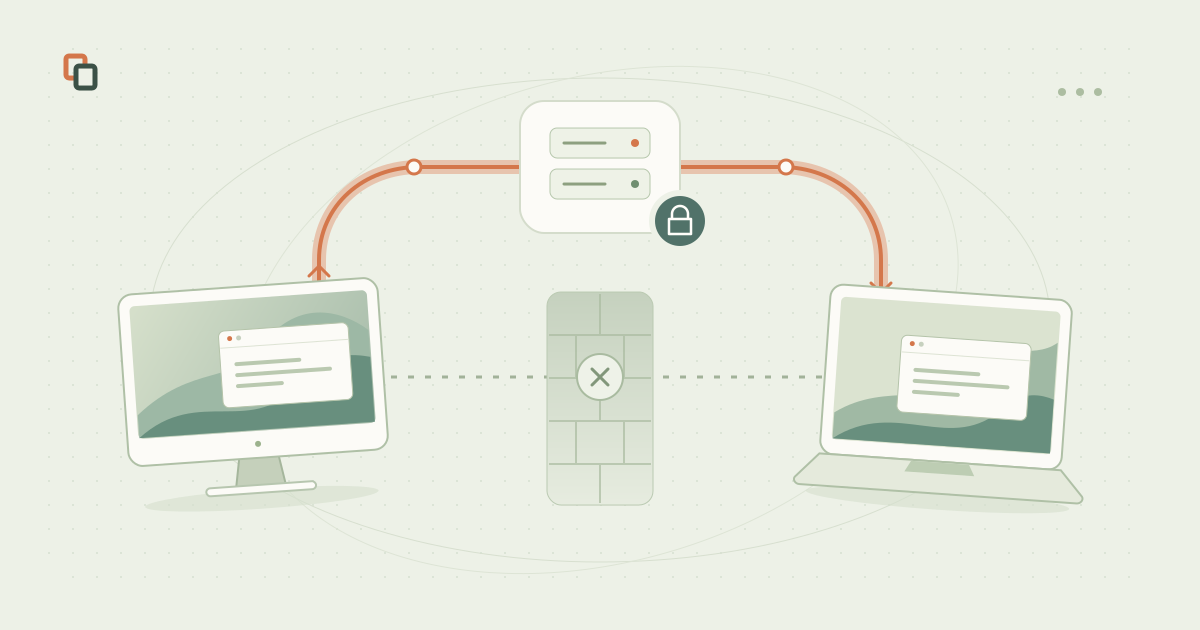
A relay can carry your remote session without an incoming port on your home router. Both networks still need to allow access to the service.
Your home computer is online, but you cannot reach it from another network. Before changing router settings, it helps to separate two questions: can both devices reach the service, and can they reach each other directly? A working internet connection does not always mean a direct path is available.
Why a direct connection can fail
A direct, or peer-to-peer (P2P), connection carries session data between devices without a relay in the middle. It can keep the route short, but it depends on the clients and the networks at both ends.
NAT lets devices on a private network share a public address. It tracks outgoing connections and decides where replies belong. A remote device cannot necessarily start a new connection back through that mapping.
- Restrictive or symmetric NAT
Address and port mappings, or filtering rules, can prevent the devices from finding a usable direct path.
- Carrier-grade NAT (CGNAT)
Your provider may share a public address across customers. Forwarding a port on your own router does not configure the provider's NAT.
- Two layers of NAT
A router behind another router adds another set of mappings and filtering rules.
- A workplace firewall
A managed network may restrict UDP, unfamiliar protocols or connections to particular services.
What changes when you use a relay
A relay gives both devices a reachable meeting point. Each device makes an outgoing connection to it, and the server forwards session data between them. That removes the need to accept an unsolicited incoming connection on your home router.
Remoqa supports relay connections when a direct route is unavailable. Connect using the other device's Remoqa ID and the required approval or credentials. You do not need a public IP address or a port-forwarding rule for the relay route.
A relay adds a server to the path, so responsiveness depends on its location, network conditions and the available bandwidth. It helps with reachability; it does not guarantee a faster connection.
A relay still follows the network's rules
Both devices must be able to reach Remoqa and its relay. If a workplace blocks that access, an outgoing connection can fail too. Ask the network administrator to check the permitted service access; a relay is not a way to override company policy.
CGNAT or double NAT alone does not prove that every direct connection will fail. The actual result depends on the network configuration and the connection methods supported by the clients.
Your session stays encrypted
Remoqa encrypts remote session content end to end, including sessions carried through its relay servers. The connected devices decrypt that content; the relay forwards encrypted data rather than viewing your screen or keyboard input.
Encryption protects session content in transit. Only approve access for someone you trust, and keep connection credentials private.
Before you change your router settings
Start with a few checks on the devices and the network you actually want to use.
- Keep the remote computer available
It needs to be online, awake and running Remoqa. Check the permissions needed for screen capture and control.
- Check the connection details
Use the correct Remoqa ID and current credentials, or approve the request on the remote computer.
- Check managed-network access
If the connection works from another permitted network, ask your administrator to investigate the original network's restrictions.
- Check plan limits
The Free plan has usage limits. If you reach a session or relay allowance, check your account and the current plan details before trying again.